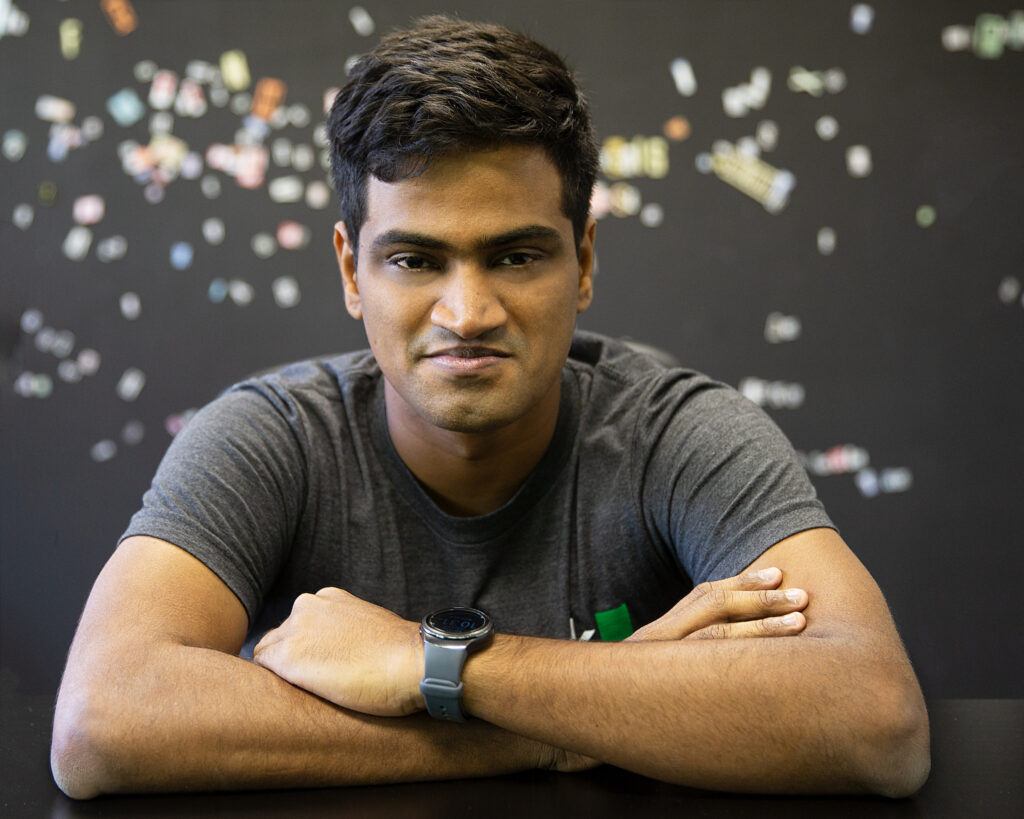
WordPress gave me so much trouble when I tried to upload this pic. Still uploading pic in Wp 2.5 is a headache :’(.
Setting up a SMS server using Gnokii
Posted by sp2hari
I’ve used gnokii to set up a SMS server in our college as a part of Spider Project. Though I didn’t actually believe that a computer and a mobile phone can be connected when Manas suggested the idea, I coded much for this SMS server later. :P
So here is the short manual about how to configure gnokii in a system. Let us assume that we have a basic Fedora or Ubuntu installed machine, a Nokia 7250i mobile and an USB data cable.
Gnokii Installation :
This can be done in two ways like any other open source software.
Installing from binary.
Installing from binary is very easy if you have yum (Fedora) or apt (Ubuntu) configured for your system. All you need to do is to execute the following command as root or as sudo
In Ubuntu the command is
hari@spider:~$ sudo apt-get install gnokii gnokii-smsd gnokii-smsd-mysql
In fedora the command is
root@spider:~# yum install gnokii gnokii-smsd gnokii-smsd-mysql
The above packages have lots of dependencies like libgnokii3, liblockfile1, timeout, dialog, mysql-common, libmysqlclient15off. So it is better to install gnokii using yum (Fedora) or apt (Ubuntu) instead of rpm (Fedora )or dpkg (Ubuntu).
Installing from Source:
This will be useful if you don’t have a yum or apt configured. Download the source package from http://www.gnokii.org/download/gnokii/. Then execute the following. I have used gnokii-0.6.9 for example. It might differ in your case.[root@spider ~]# tar -zxvf gnokii-0.6.9.tar.gz
[root@spider ~]# cd gnokii-0.6.9/
[root@spider gnokii-0.6.9]# ./configure
[root@spider gnokii-0.6.9]# make
[root@spider gnokii-0.6.9]# make install
Gnokii Configuration :
Once gnokii is installed, we need to change the configuration file (gnokiirc) and check whether the computer can identify the mobile phone. The configuration file can be located at two places. One in your home folder and the another in /etc.
If there is no file in your home folder, then gnokii uses the configuration file present in /etc.
The mobile phone i use is Nokia, model 7250i, type NHL-4JX.
For the example below, let us assume that you have permissions to edit the configuration file in /etc. Else copy the file from /etc and do the changes mentioned below.
1. Open gnokiirc file in any editor as root or sudo.
2. Since I’m using an USB cable to connect the mobile to computer, set the value of port as “/dev/ttyUSB0″ (quotes for clarity).
This value may rarely change from computer to computer. You can from the output of the command “dmesg | tail” after you connect the USB cable to the computer. I get an output like this [ 325.740151] pl2303 2-1:1.0: pl2303 converter detected
[ 325.740847] usb 2-1: pl2303 converter now attached to ttyUSB0
[ 325.741245] usbcore: registered new interface driver pl2303
[ 325.741253] /build/buildd/linux-source-2.6.22-2.6.22/drivers/usb/serial/pl2303.c: Prolific PL2303 USB to serial adaptor driver
So in line 2, I know that that it is ttyUSB0.
3. Set the model as AT
4. Set the value of connection as serial
Then execute the command “gnokii –identify”. The above command shoud produce an output like
hari@spider:~$ gnokii --identify
GNOKII Version 0.6.18
IMEI : 352955008063785
Manufacturer : Nokia
Model : Nokia 7250i
Product name : Nokia 7250i
Revision : V 4.63
If the command takes more than 5 or 10 seconds, than it just means that the computer hasn’t identified your mob yet. Remove the data cable from mob and USB cable from computer. Connect them once again and try. This time it may work. This has happened so many times in my machine. Still not able to come up with a nice reason why this happens :)
Once the computer has identifed your mobile phone, you can do lots and lots after that. :)
man gnokii will give you a huge list of commands which you can use to control your mob. Some of them which will be useful for SMS interface is gnokii --getsms SM 1 end
Above command reads all the messages stored in SIM memory gnokii --getsms ME 1 end
Above command reads all the messages stored in phone memory.
See man gnokii to see more options for getsms.
To send SMS using gnokii, try this command echo "Spider SMS Server" | gnokii --sendsms 9940557688
Working with smsd
Once gnokii is configured, we can use smsd to send messages. This is more like a wrapper for gnokii. After you install gnokii-smsd, a database called SMS is created in your database.
To start the smsd server, you run the command
smsd -u
smsd -h or smsd --help will be quite useful if you can’t remember the above options.
Once smsd is running, any SMS which comes to the mobile is taken by the computer, stored in the inbox table and then deleted. Similarly any entry added in outbox is sent to the destination. An very useful field in these two tables is “processed”. Any message which is added to the inbox has a default “processed” value of “0″. So once we are done with this message, we should change the value to 1. Any message which is inserted in the outbox has a default “processed” value of 0 and “error” value -1. If the message is sent successfully, the value of processed and error is changed to 1 and 0 respectively. If there is any error in sending the message, the value of processed and error is changed to 1 and some positive integer. Also note that changing the value of processed in outbox to 0 will result in resending the message again.
So any script which checks the inbox table every 5 seconds for messages with processed = 0 and does the required action when there is any new message will complete the SMS server model.
This PHP script sends a “Thank you” message to anyone who sends any message to the SMS server.
This PHP script sends mass message to all the numbers in a text file
This PHP script sends mass message to all the numbers in a mysql table
This is the PHP script I used for LEO poll.
You can download all the above scripts as a single zip file here.
Google Image Search
Posted by sp2hari
I don’t remember who exactly gave me this script. Must be either Verma or Manas, but this one is so cool.
The code looks pretty easy and clear, though I didn’t try to understand it completely.
So this is what you have to do.
Open Google image search and search for some image. If you are lazy to do that, click
http://images.google.com/images?hl=en&q=sp2hari&btnG=Search+Images&gbv=2
Then copy this javascript code and paste it in the URL bar
javascript:R=0; x1=.1; y1=.05; x2=.25; y2=.24; x3=1.6; y3=.24; x4=300; y4=200; x5=300; y5=200; DI= document.images; DIL=DI.length; function A(){for(i=0; i<DIL; i++){DIS=DI[ i ].style; DIS.position='absolute'; DIS.left=Math.sin(R*x1+i*x2+x3)*x4+x5; DIS.top=Math.cos(R*y1+i*y2+y3)*y4+y5}R++}setInterval('A()',5); void(0)
Cool right? ;-)
Choice…
Posted by sp2hari
Choice, my dear friend… You make them and then they take over!
Got this as a SMS message from one of my friends in our conversation.
Don’t know whether I like it or not, but so true. :-|
CSS
Posted by sp2hari

Why should you have a nice design in your web page? Why should you have a good CSS?
I got this answer in the spider class. A nice way of telling concepts to the students.
“You know Rajinikanth right? Have you seen him without his makeup? He is old, bald, dark and certainly not an “hero” you would like to see without his makeup. But how does he look after all the makeup. A great hero and the amazing success of the movie “Shivaji” proves this. So you see, the makeup matters much. The looks make people to look at any person twice and that is true for web pages also. Have nice CSS and make people look at your web page twice.”
Nice thinking :-).
Finally….
Posted by sp2hari
This is one of the question you find being asked when browse for around 10-15 minutes.
“Your message has not been sent.
Discard your message?” from Gmail.
“Are you sure you want to navigate from this page?
Your message has not been sent.
Press OK to continue, Cancel to stay on the current Page” from Gmail
“Are you sure you want to navigate from this page?
If you leave, your Meebo IM sessions will not be preserved!
Press OK to continue or Cancel to stay on the current page” from meebo
“Are you sure you want to navigate from this page?
You have unsaved changes.
Press OK to continue,or Cancel to stay on the current page” from blogger
Well, what’s common among all 4 of these are that they ask for a confirmation to do some action. This is done generally to prevent losing by data when you click at some link by mistake.
For a web developer, this is one of the simplest thing to code. Javascript provides an inbuilt confirm function. Note that this function always has OK and Cancel button. So we should frame our question to suit these two buttons.
I had a bigger headache when i tried to have this feature in my small map application.
Finally after more than 2 weeks, got how to do this thing without storing it in cookie and doing all other complicated things. I know this is not a great news, but this is really important news for just two souls who don’t mind partying for a week just to celebrate this. :)
Anyway, here is the link to the file that helped me in finding out the order of events and choosing which one might work.
http://sp2hari.com/gmap/events.html
After a few clicking and clearing markers, this is the order i decided to do.
infoWindowBeforeClosed is called before an infoWindow is closed. In this function all the form details are stored into Javascript variables.
infoWindowClosed is called after an infoWindow is closed. Here I ask whether the user wants to continue discarding his details or stay with current infowindow
whatever he chooses, the infowindow will be closed. But I’ll create a new infoWindow at the same point with all those details he already provided with. Hmmmm, i do wish we had callbacks like we have in GTK ;-)
Two things to note here.
1. After reading so much about events, now creating a marker with an infowindow at the initial position is so easy. Don’t know why I was so scared about this sometime back ;)
2. Don’t know why I started thinking about cookies when I can store anything and everything I want to store in javascript variables :-(. Sometimes I do think like an idiot :P
Google Maps - Icons
Posted by sp2hari
This post is for playing with icons in Google Maps. In the previous post, the last example explained how to add markers when we click on the map. We will try to add custom markers and change the properties of different markers before and after creating them.
In the first example, we’ll create a custom marker instead of the default “G_DEFAULT_ICON”.
First we need marker and shadow images to create custom markers. If you are not interested in creating your own custom markers, then check out
http://www.visual-case.it/cgi-bin/vc/GMapsIcons.pl
for different markers. I downloaded these markers and stored them in a folder called “icons”. Now let us see the addMarker method which adds a custom marker at the place where you click in the map.
function addMarker(overlay, latlng) {
var icon = new GIcon();
icon.image = "icons/blue-pushpin.png";
icon.shadow = "icons/pushpin_shadow.png";
icon.iconSize = new GSize(32, 32);
icon.shadowSize = new GSize(59, 32);
icon.iconAnchor = new GPoint(10, 30);
icon.infoWindowAnchor = new GPoint(10, 30);
marker[markerCount] = new GMarker(latlng, icon);
map.addOverlay(marker[markerCount]);
markerCount = markerCount+1;
document.getElementById("message").innerHTML = "Marker added at latitude "+latlng.lat() + " longitude "+latlng.lng() ;
}
If you aren’t sure about the methods used in the above code, check out the Google Maps API. The above code creates a new Icon and passes it when creating a new Marker
To see how the above code code works, check
http://sp2hari.com/gmap/icon1.html
Now let us make this more complicated. ;). How about the user deciding which type of marker should be added before he adds them?
The code is quite long but certainly not complicated. Before we start with the code, check out how it works :).
http://sp2hari.com/gmap/icon2.html
Two global arrays maintain the different custom markers and their corresponding shadows.
var icons = new Array("blue-pushpin.png", "yellow-pushpin.png", "red-pushpin.png", "purple-pushpin.png", "green-pushpin.png", "lightblue-pushpin.png", "pink-pushpin.png", "blue.png", "yellow.png", "red.png", "purple.png", "green.png", "lightblue.png", "pink.png", "blue-dot.png", "yellow-dot.png", "red-dot.png", "purple-dot.png", "green-dot.png", "lightblue-dot.png", "pink-dot.png");
var shadows = new Array("pushpin_shadow.png", "pushpin_shadow.png", "pushpin_shadow.png", "pushpin_shadow.png", "pushpin_shadow.png", "pushpin_shadow.png", "pushpin_shadow.png", "msmarker.png", "msmarker.png", "msmarker.png", "msmarker.png", "msmarker.png", "msmarker.png", "msmarker.png", "msmarker.png", "msmarker.png", "msmarker.png", "msmarker.png", "msmarker.png", "msmarker.png", "msmarker.png");
Just to make things easier, I’ve written a separate createIcon function, which takes the index and creates an icon accordingly. The snippet of this function is same as that of the previous file, with very few modifications. :)
function createIcon(index) {
var ticon = new GIcon();
ticon.image = "icons/"+icons[index];
ticon.shadow = "icons/"+shadows[index];
ticon.iconSize = new GSize(32, 32);
ticon.shadowSize = new GSize(59, 32);
ticon.iconAnchor = new GPoint(10, 30);
ticon.infoWindowAnchor = new GPoint(10, 30);
return ticon;
}
Now “icon” is a global variable and keeps track of what type of icon should be created. The function changeIcon does two jobs. First it updates the preview of the icon to be displayed and changes the value of the icon. addMarker usees this icon variable before creating an icon. So any marker created will have the icon corresponding to the selected one. :)
function changeIcon(index) {
document.preview.src = "icons/"+icons[index];
icon = createIcon(index);
}
Cool right ;). Now how about changing the icon of a marker which is already created. There are two ways of doing this. First one is simple, but won’t work if the shadows differ. Second one is a little complicated, but works for all kinds of markers.
Before we start, check out the this link to see how the markers are changed after they are created.
http://sp2hari.com/gmap/icon3.html
In this example, the only addition to the code is
function changeAllMarkers(index) {
for (var i=0; i
}
}
The setImage function changes the image of a marker, but doesn’t allow us to change the shadow. It’s mentioned in the API as follows
Requests the image specified by the url to be set as the foreground image for this marker. Note that neither the print image nor the shadow image are adjusted. Therefore this method is primarily intended to implement highlighting or dimming effects, rather than drastic changes in marker’s appearances. (Since 2.75)
Therefore, the above example is quite easy and useful if there is not much difference in the images we are going to display as markers.
If there is a big difference in the images we are going to display, then the only way is to delete the overlay and create a new marker at the same point.
This example shows how that works.
http://sp2hari.com/gmap/icon4.html
In this example, after you create a marker, change the image and click on the marker again. You can see that the image of the marker changes according to the one selected. :)
The main idea is that when the map is clicked, if it is clicked on a marker, overlay is passed. Else latlng is passed. Thus using this we code the addMarker as follows :)
function addMarker(overlay, latlng) {
if (overlay == null) {
marker[markerCount] = new GMarker(latlng, icon);
map.addOverlay(marker[markerCount]);
markerCount = markerCount+1;
document.getElementById("message").innerHTML = "Marker added at latitude "+latlng.lat() + " longitude "+latlng.lng() ;
}
else {
point = overlay.getPoint();
map.removeOverlay(overlay)
icon = createIcon(document.forms[0].selecticon.selectedIndex);
addMarker(null, point);
}
}
Google Maps
Posted by sp2hari
I have been using Google Maps for a long time (a nice way to kill time) and now I am using the Google Map API to create my own site (not a nice way to kill time). Was able to start with my work using the sample examples given in the Google Maps site and by trial and error method.
But came to a dead end when i had to manage many events at the same time. Say for the example, when the user clicks in the map, first an infowindow opens up with a form in it. When the user clicks elsewhere when already an infowindow is open, then an prompt asking for whether he should save the old place or not. If he says no, the show the new infowindow. Else retain the old infowindow. Save the details using an Ajax request so that the page is not reloaded again and again. Mummy….
But now, after exploring so much about Google Maps, I was able to manage things now. A simple tutorial about how to handle events in Google Maps. The reason why i choose events is that this is more difficult to grasp AFAIK. :)
First let us start with a simple Google Map as shown in the following url
http://sp2hari.com/gmap/event-simple.html
The main code which adds the event listener is
GEvent.addListener(map,"click", function(overlay,latlng) {
alert ("Map Clicked");
});
GEvent.addListener(map,"click", displayMessage);
Note that for the same event “click”, I have added two event listeners. In the first listener, the code to be executed when the event occurs is inline. This is fine if the code is very small. Even then i advice you to follow the second method where the function name to be called is given as argument. Then you can mention all the actions to be done when the event occurs in that function. For example, my displayMessage will look like
function displayMessage(overlay, latlng) {
document.getElementById("message").innerHTML = "Clicked at latitude "+latlng.lat()+ " and longitude "+latlng.lng();
}
Yup. That’s all it needs to add a simple event listener for Google Maps.
Now let us try something more ;)
How about trying to add a marker at the place where it is clicked and a button to clear all markers?
Check this url
http://sp2hari.com/gmap/event-addmarker.html
In the above file, I just have one event listener for click (you can have as many as you want), and the function I’m calling after click is “addMarker”. The following code adds the event listener.
GEvent.addListener(map,"click", addMarker);
Now the function addMarker has the code to add a marker as shown below
function addMarker(overlay, latlng) {
var marker = new GMarker(latlng);
map.addOverlay(marker);
document.getElementById("message").innerHTML = "Marker added at latitude "+latlng.lat() + " longitude "+latlng.lng() ;
}
Another function clearAllMarkers is used to clear all the markers used in the map. Check the code for that function.
function clearAllMarkers() {
map.clearOverlays();
document.getElementById("message").innerHTML = "All markers cleared";
}
Let’s play more with markers :)
How about having a infowindow open when you click a marker?
Check the following url
http://sp2hari.com/gmap/event-showinfowindow.html
In the above example, we can add markers and we also get an infowindow when we click on the marker. For this the code is very similar to the previous example with a small modification in the addMarker function.
function addMarker(overlay, latlng) {
marker[markerCount] = new GMarker(latlng);
marker[markerCount].bindInfoWindowHtml("This is Marker number "+markerCount);
map.addOverlay(marker[markerCount]);
markerCount = markerCount+1;
document.getElementById("message").innerHTML = "Marker added at latitude "+latlng.lat() + " longitude "+latlng.lng() ;
}
As you can see, we have a global array of markers and whenever we create a new marker, we bind an infowindow to the marker using bindInfoWindowHtml method. Simple right? :)
We’ll see more complex event handling sometime later. :) Feeling sleep right now :)
Winter Project
Posted by sp2hari
10 things i have got to say about my project, stay in IIIT, Hyderabad and other things happened during this vacation. :)
0. Madhapur is in Hyderabad. Hyderabad is in Madhuapur
1. GTK won’t work. WxWidgets uses GTK. So WxWidgets also won’t work
2. I will never ever wash my plates. I’ll rather go hungry.
3. Canteen is a place where you never get good food.
4. Anything other than dosa is bad. :(
5. Only soup in 4 season is nice.
6. A hotel can be in the form of a forest or a train.
7. Mocktail is not cocktail. It is just 7UP added with rose milk.
8. You can play games even with 4 empty orange bottles.
9. The ball didn’t fall. :( :( :(

